
Pinterest Boards are used for saving images and videos based on a theme or topic together in a collection. It allows you to group your favorite Pins in one place. Boards can be followed, collaborated with, and shared.
Create a Pinterest board on the app
Method #1: Create a board from your profile page
- Select the Profile icon on the bottom menu.
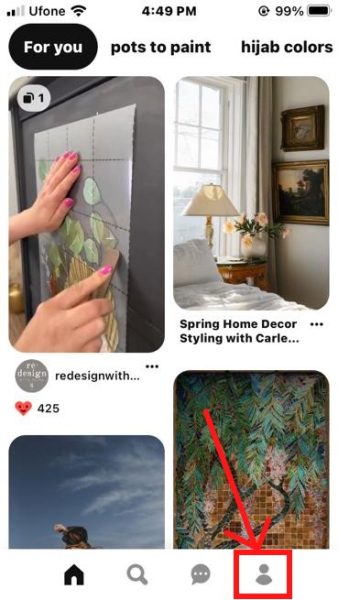
Select your Profile. - Tap on the + icon next to the Search bar.
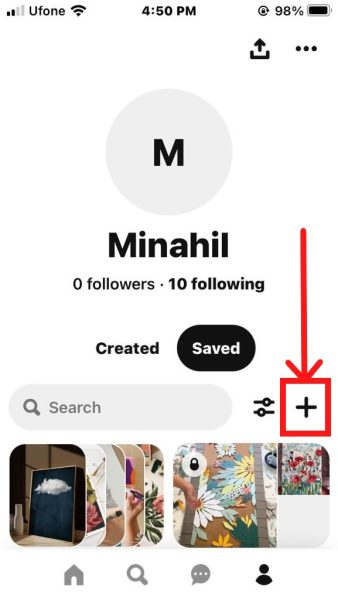
Tap on +. - Select Board to create a new Board.
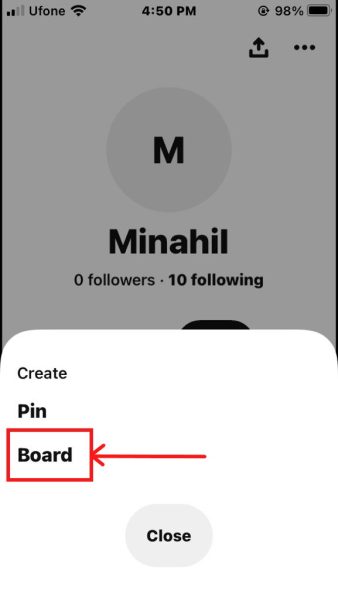
Select Board. - Enter a Board name, select its Privacy, and tap on Create.
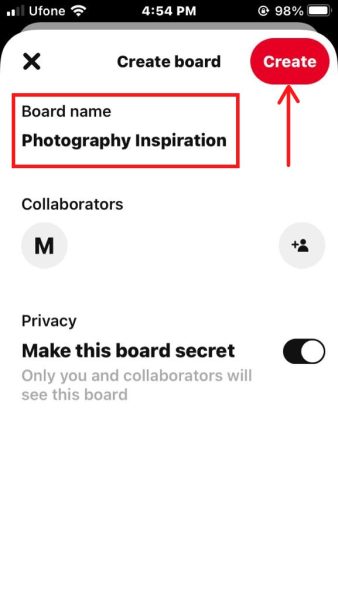
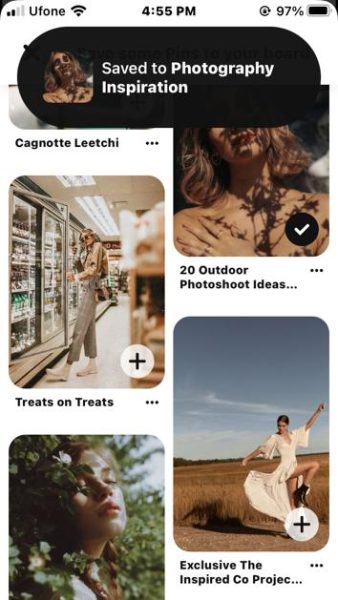
Add Board name and tap Create. - Pinterest will give you Pin suggestions for your new Board. You can add the Pins by tapping the + icon on each Pin image. You’ve now created a new Pinterest Board!
Method #2: Create a board by saving pins
- Open a pin you like and select Save.
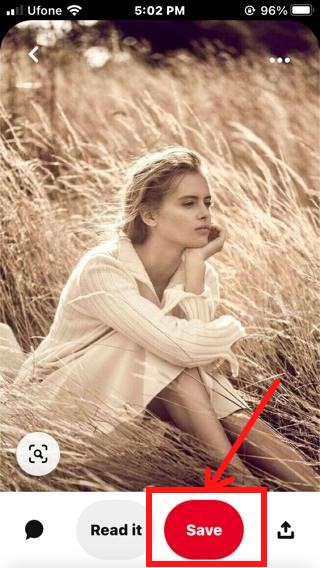
Save the Pin. - A list of your Pinterest Boards will open. Tap Create board at the bottom of the list.
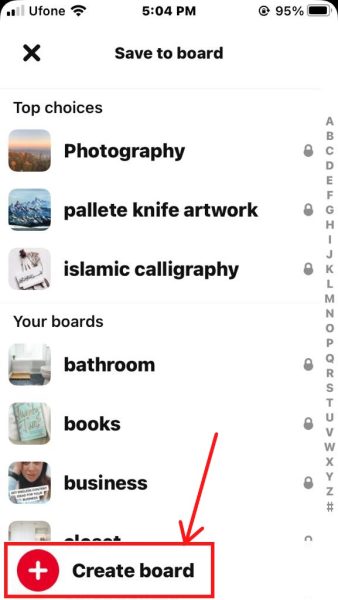
Create Board option. - Enter a Board name, or you can pick one from the suggestions. You can choose to Make this board secret. Then, tap Create.
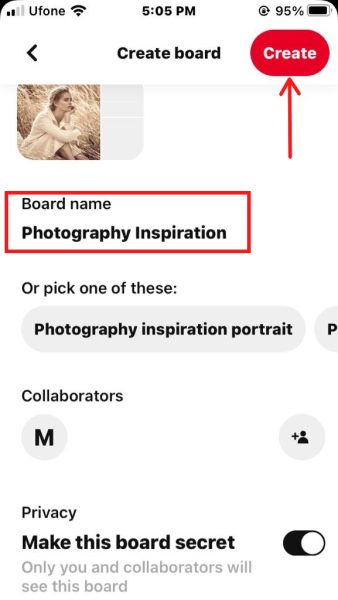
Add name and privacy for your Board, then select Create. - The new Board can be found under the Saved section of your Profile.
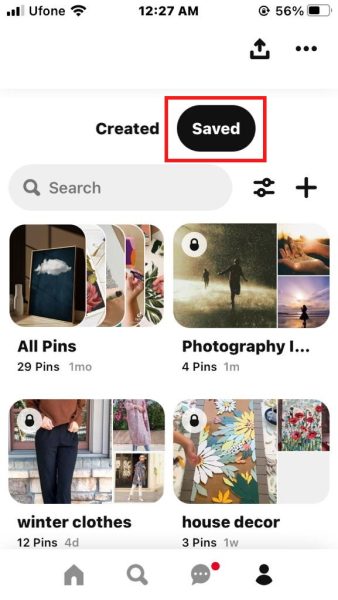
Your new board is now created.
Create a Pinterest board on the website
Method #1: Create a board from your profile page
- Open your Profile page.
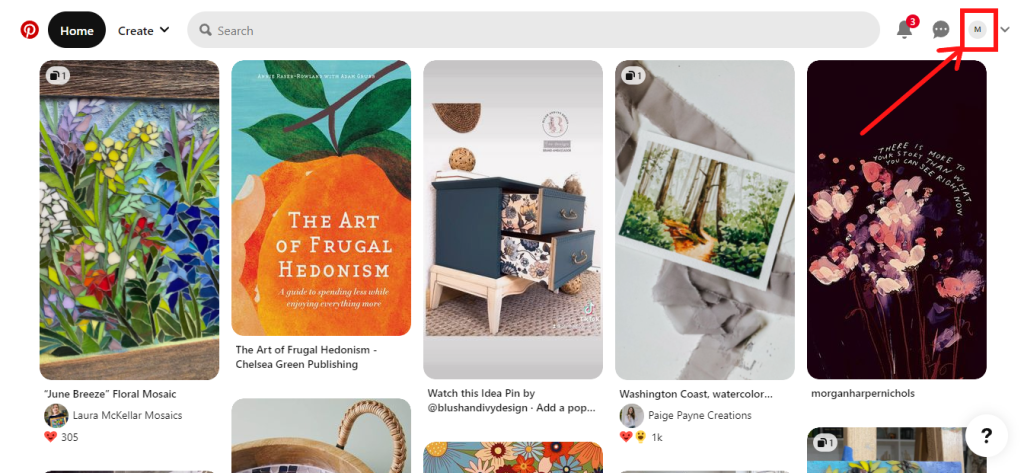
Select your Profile icon. - Click on the plus sign and select Board.

Create a new Board. - Type a name for your board. You can also choose to Keep this board secret. Then, click Create.
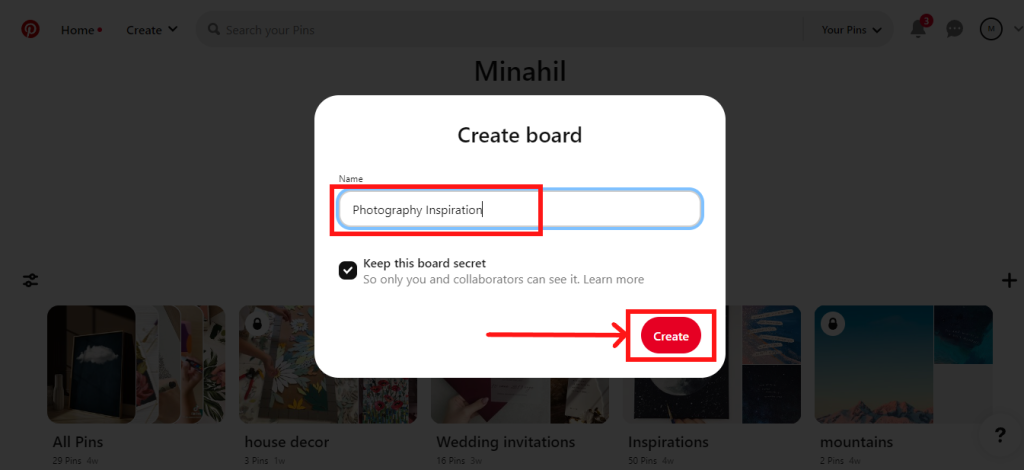
Type board name and select Create. - Click Done. Your new Pinterest board is now created!

Click Done.
Method #2: Create a board by saving pins
- Hover your cursor over a Pin and click Save. Then, click Create board.
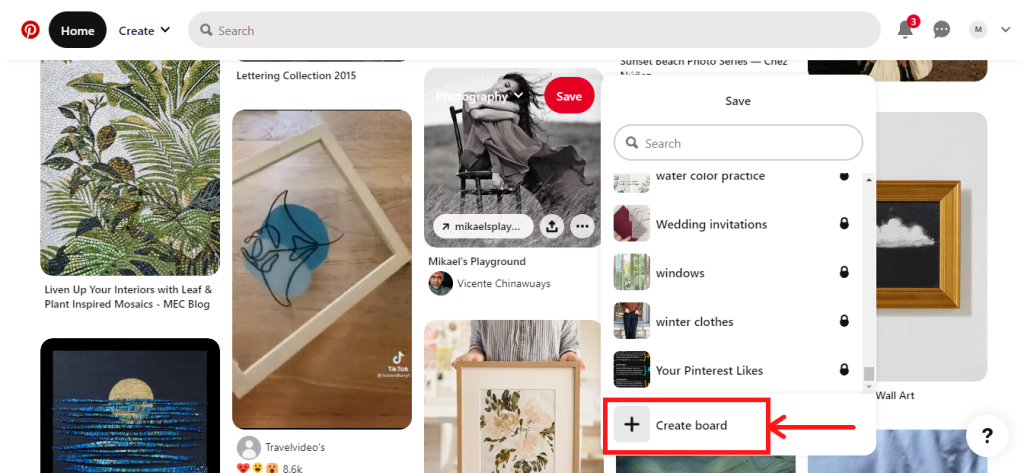
Save a Pin > Create board. - Add a name for the Board. Finally, click on Create.
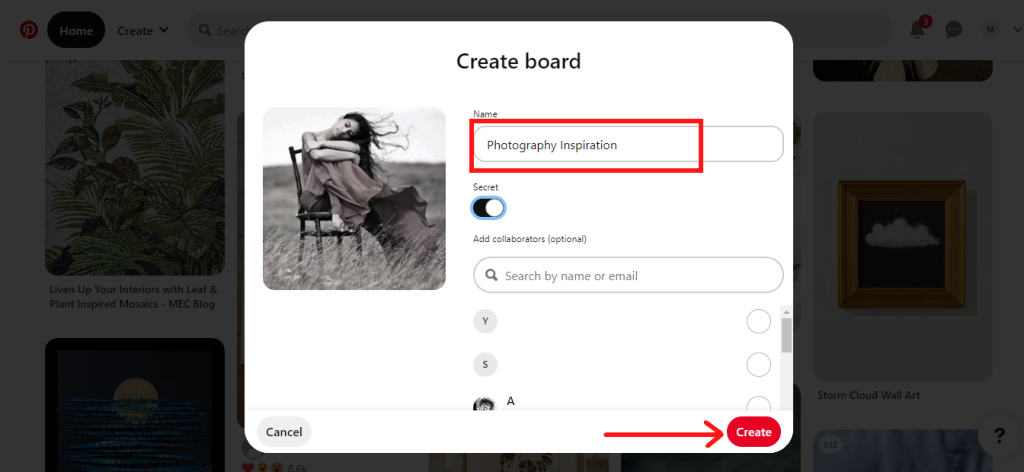
Add Board details and Privacy. - Your new board is now created.

Board created message.
I’m Susan, the founder of Learn Social Media. As a caregiver I regularly work with vulnerable groups, such as with the elderly in nursing homes, and children with disabilities in schools. During my work, I noticed these groups struggle to keep up with new technologies.
When it comes to social media, this often led to feelings of isolation and “being left out”. The thrill I experienced creating TikTok dance videos with children with disabilities, or helping elderly folks reconnect with old friends and loved ones on Facebook, is what inspired me to launch this project.
Read more about my project here: About Learn Social Media. Feel free to contact me at any time at [email protected], I spend my evenings responding to ALL messages!