
Many social media platforms make it easy to open a new account but difficult to delete an existing one. However, Reddit is the opposite – it allows you to delete your account in under a minute.
This guide shows you everything you need to know about deleting your Reddit account.
Things to know before you delete your Reddit account
- You cannot use the Reddit app to delete your account. You must be on a browser to delete your account.
- Once you delete your Reddit account, it’s gone forever. There is no chance of recovering it.
- Unlike other social platforms, there is no option to “temporarily deactivate” a Reddit account.
- Your comments will be visible unless you delete them before deleting your account. However, the author displays “[deleted]” instead of your name.
You can use our guide on “How to delete all your Reddit comments” to remove comments before you delete your account.
Steps to delete your Reddit account
- Log in to your Reddit account and click the profile icon on the top right.
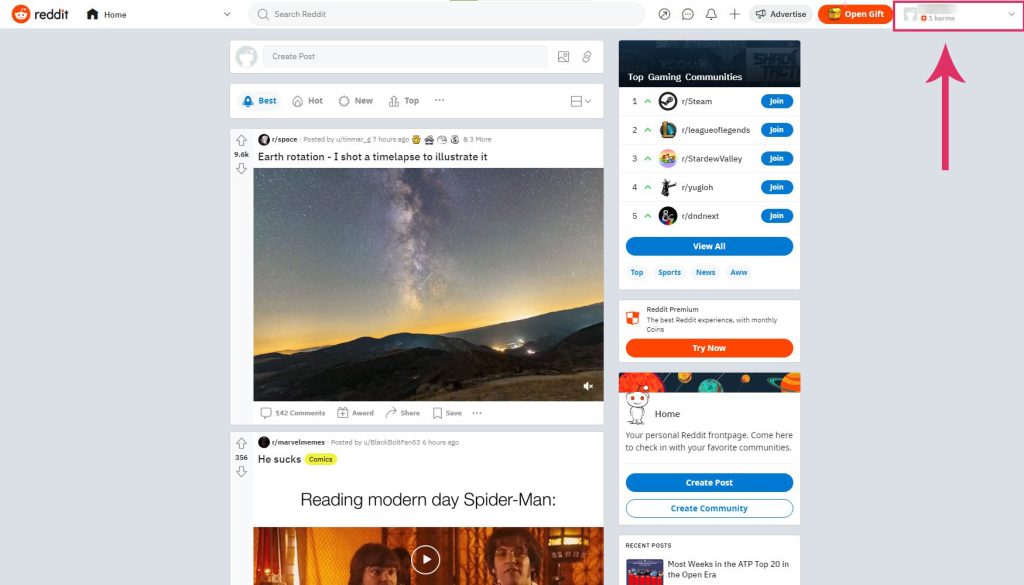
Click the profile icon. - Select User Settings from the dropdown menu.
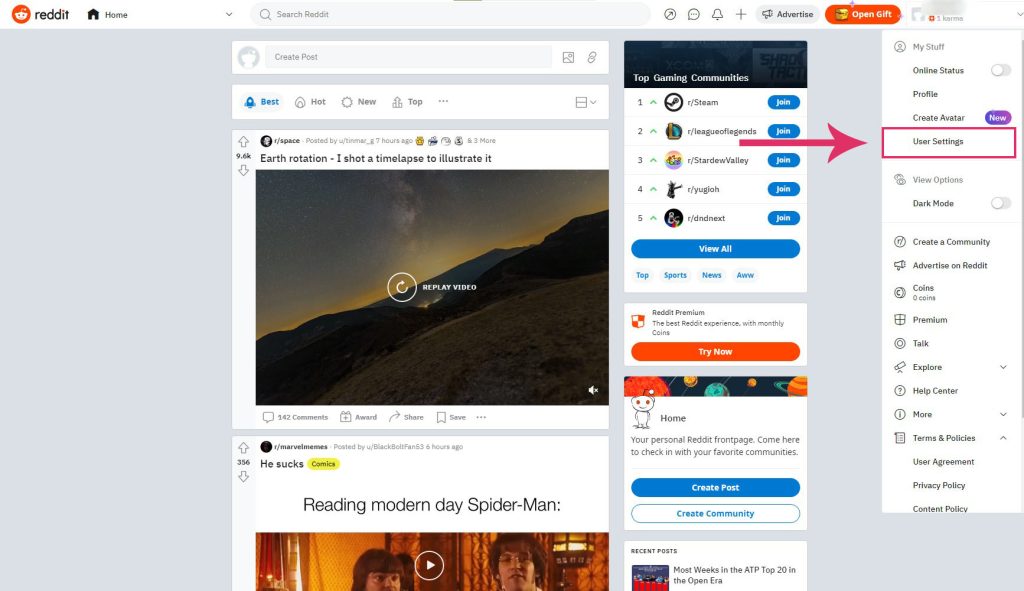
Click User Settings. - Scroll down to the bottom of the page and click Delete Account.
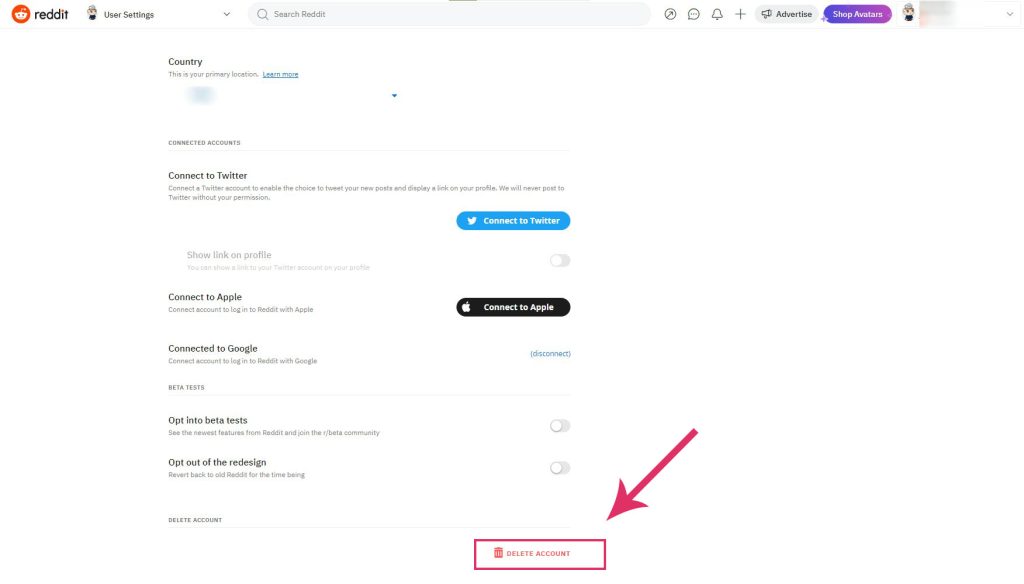
Click Delete Account. - Add a reason for deleting the account in the optional Help Improve Reddit section.
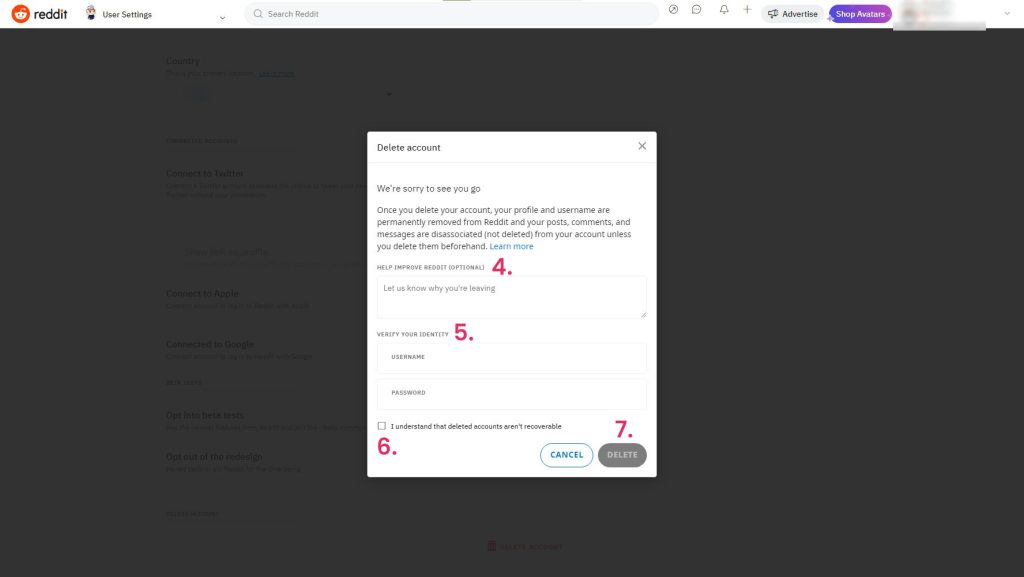
Enter log in details, tick the checkbox, and select Delete. - Enter your login details for security purposes.
- Tick the checkbox to confirm you know deleted accounts cannot be recovered.
- Click Delete.
Your Reddit account is now permanently deleted.
I’m Susan, the founder of Learn Social Media. As a caregiver I regularly work with vulnerable groups, such as with the elderly in nursing homes, and children with disabilities in schools. During my work, I noticed these groups struggle to keep up with new technologies.
When it comes to social media, this often led to feelings of isolation and “being left out”. The thrill I experienced creating TikTok dance videos with children with disabilities, or helping elderly folks reconnect with old friends and loved ones on Facebook, is what inspired me to launch this project.
Read more about my project here: About Learn Social Media. Feel free to contact me at any time at [email protected], I spend my evenings responding to ALL messages!