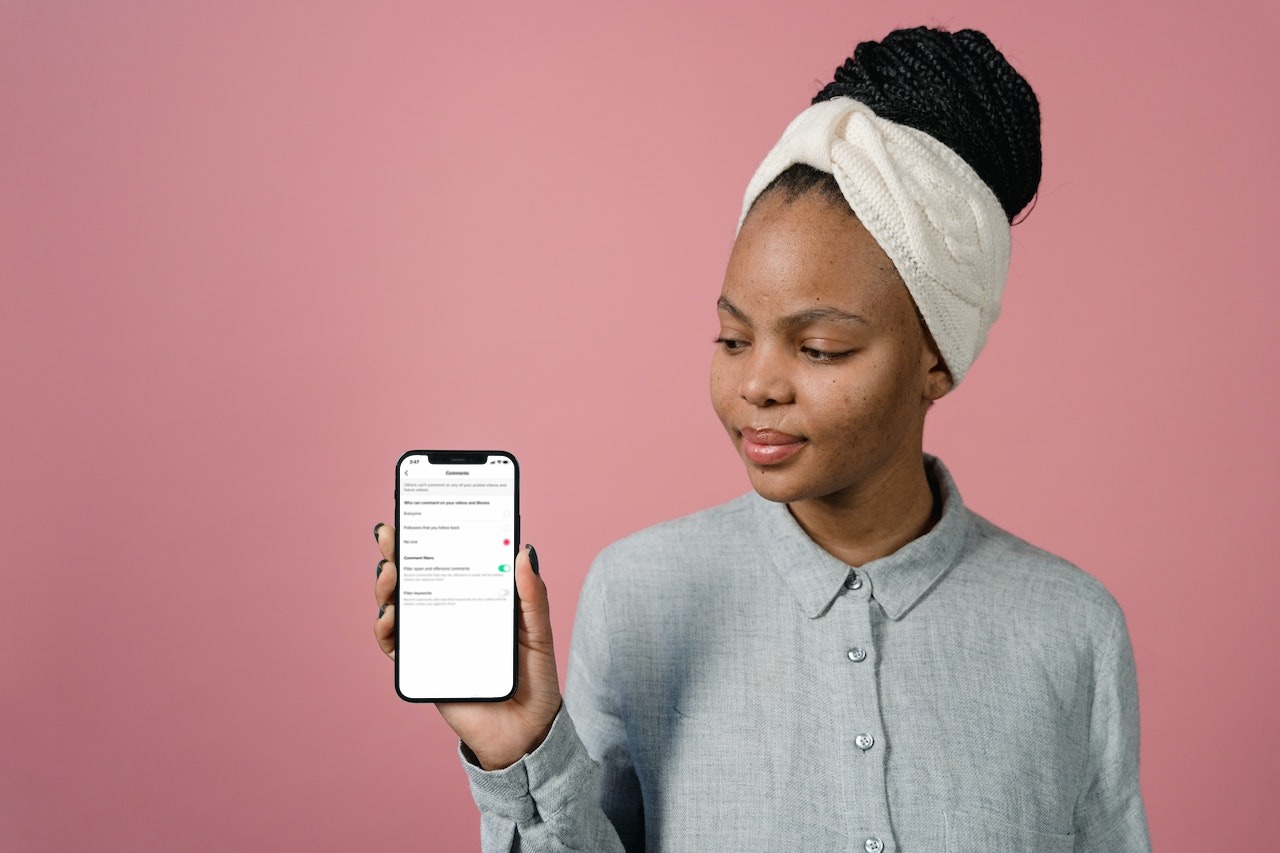
TikTok gives your several options to limit who can comment on your videos. This includes turning off the comment section entirely, allowing only specific people to comment, or filtering out comments with specific keywords.
What happens when you limit comments on TikTok?
Limiting your comments has three main settings:
- Everyone: Comments from all users will be allowed on your videos. This setting only works for public accounts.
- Followers that you follow back: Only users you follow (and they follow you) will be able to comment on your videos. If you unfollow a user, their existing comments will be hidden.
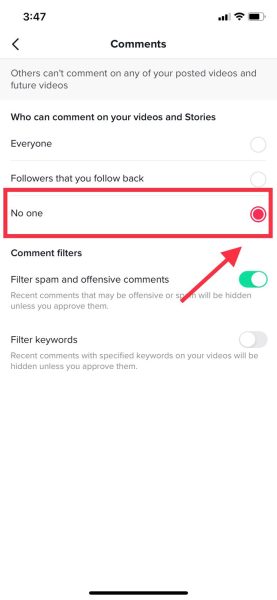
- No one: By switching to No one, no users will be able to comment on your videos until you switch this setting off.
Limit comments on all of your videos
- Go to your Profile.
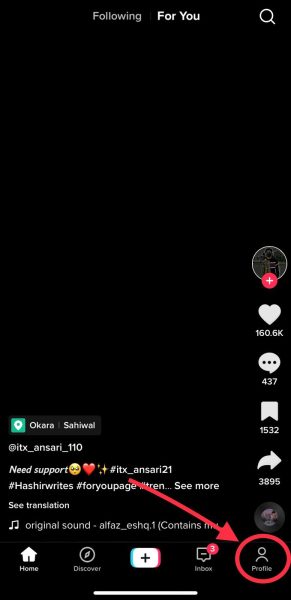
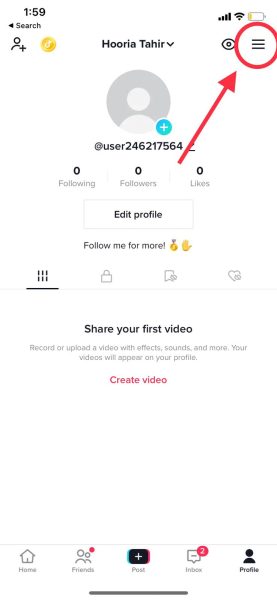
Go to profile - Tap the three-line menu on the top right.
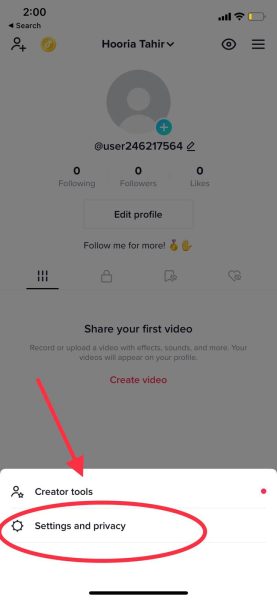
Tap on three line menu - Tap on Settings and privacy to access further controls.
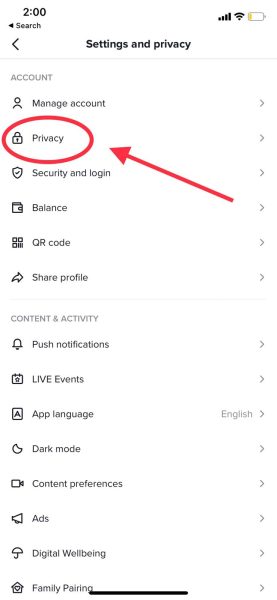
Tap on settings and privacy - Go to Privacy.
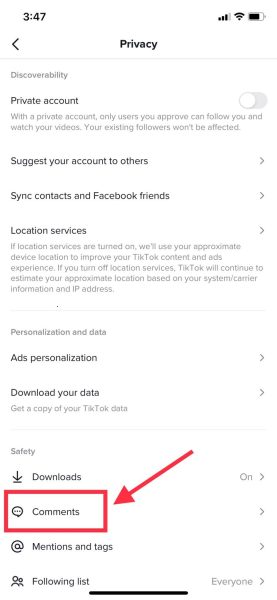
Go to Privacy - You will see Comments as the second option in the Safety section. Tap on it.
Tap on comments. - Set it to No one to completely disable comments on your videos.
Set the option to No one.
Limit comments on specific videos
TikTok also allows you to limit or turn off comments for specific videos. Follow these steps:
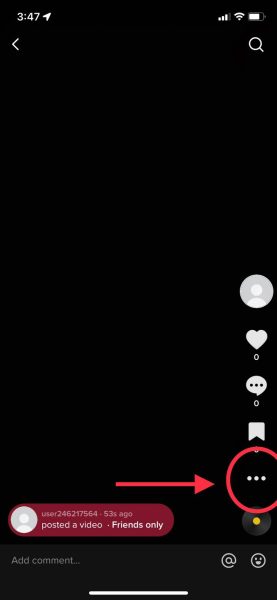
- Find the video on which you want to limit comments and tap on the three dots on the right.
- Select Privacy settings.
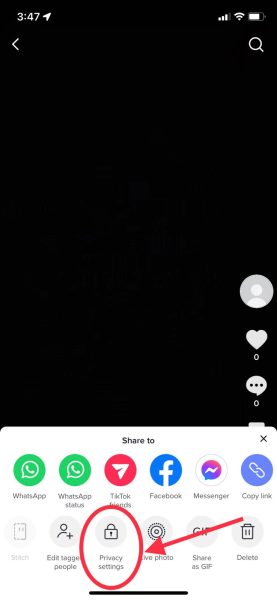
Tap on Privacy settings. - Next to Allow comments, turn the toggle off.
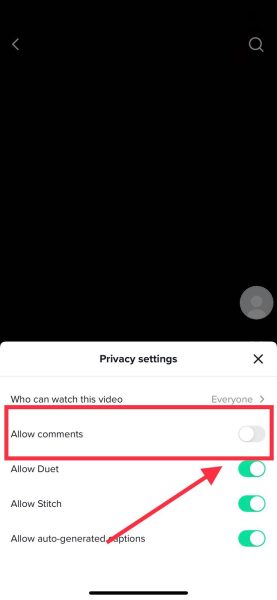
Turn the comments off.
Limit specific words
If you still want comments on your videos but don’t want specific words (for example, swear words), you can limit them. Using this setting, comments containing particular keywords will be hidden unless you approve them.
- Click on your Profile icon.
Go to profile. - Select Settings and privacy.
Tap on settings and privacy. - Go to Privacy.
Go to Privacy. - Go to Comments.
Go to Comments. - Turn Filter keywords on.
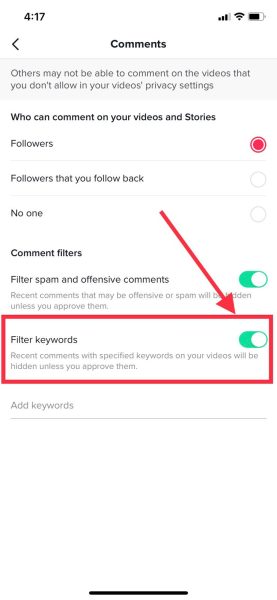
Turn filter keywords on. - Add keywords of your choice. Your account will restrict comments that contain any of these words.
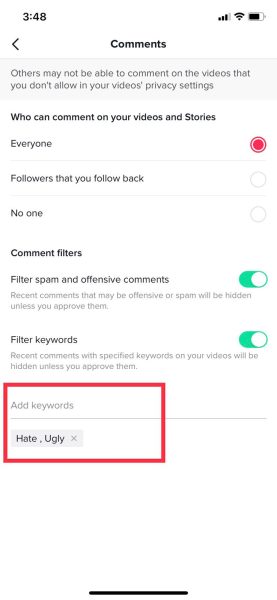
Add the words you don’t want to show in your comments.
Prevent specific users from commenting on your videos
There is a workaround to prevent specific users from commenting on your videos.
- Go to Profile.
Tap on your profile. - Go to Settings and privacy.
Tap on settings and privacy. - Go to Privacy.
Go to Privacy. - Go to Comments.
Go to comments. - Set the Who can comment on your videos section to Followers that you follow back.
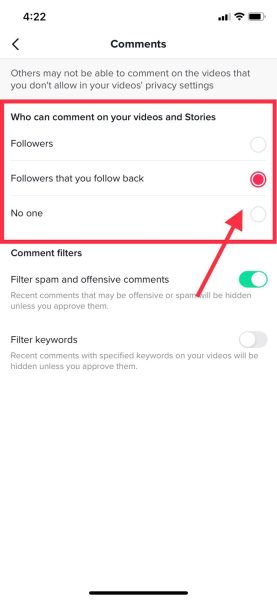
Switch to Followers that you follow back - Go to your “Following” page. Make sure to unfollow that specific user.
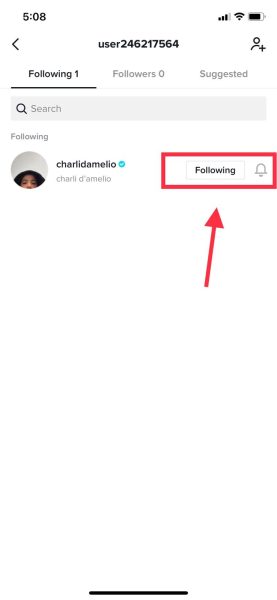
Unfollow the user. They will no longer be able to comment on your videos unless you begin following them again.
I’m Susan, the founder of Learn Social Media. As a caregiver I regularly work with vulnerable groups, such as with the elderly in nursing homes, and children with disabilities in schools. During my work, I noticed these groups struggle to keep up with new technologies.
When it comes to social media, this often led to feelings of isolation and “being left out”. The thrill I experienced creating TikTok dance videos with children with disabilities, or helping elderly folks reconnect with old friends and loved ones on Facebook, is what inspired me to launch this project.
Read more about my project here: About Learn Social Media. Feel free to contact me at any time at [email protected], I spend my evenings responding to ALL messages!