Deleting your Pinterest search history removes recent searches and recently viewed Pins from your account. This also resets your Pinterest home feed.
Delete history on the Pinterest app
- Use the magnifying glass icon to open the Search bar. Tap on the Search bar to view your recent searches.
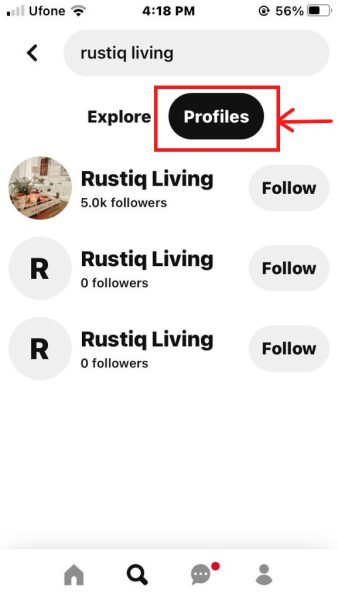
Pinterest Search bar. - Use the cross sign to remove the search from the Pinterest history.
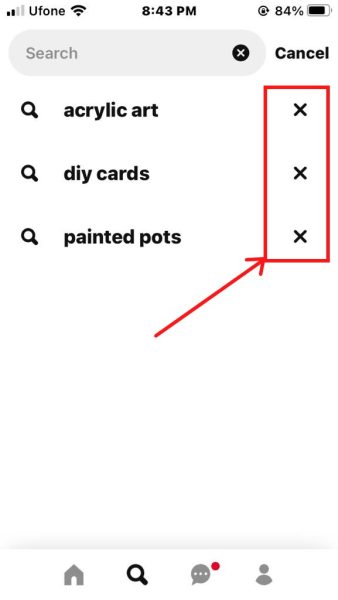
Remove items from search history. - Go to the profile page in the Pinterest app.

Open the Profile page. - Use the three dots icon in the top right to open Settings.
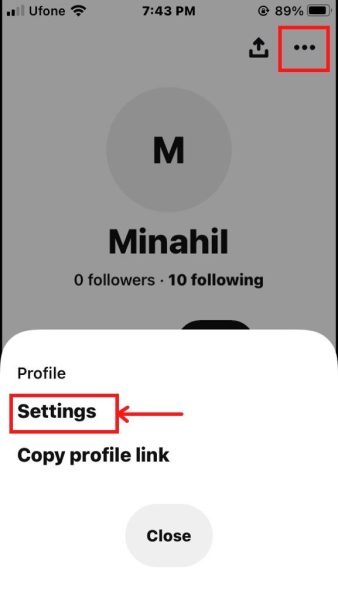
Open Settings. - Tap on Privacy and data.
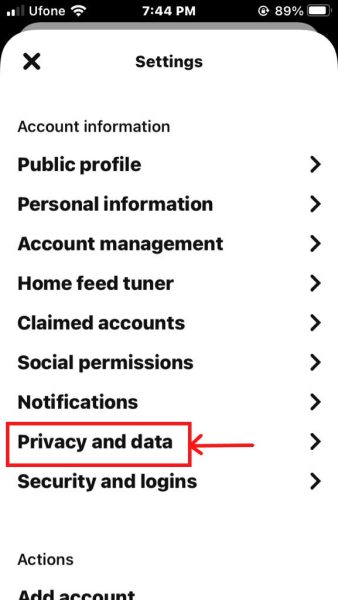
Select Privacy and data. - Select Clear app cache.

Select Clear app cache.
Delete history on the Pinterest website
- Launch the Pinterest website.

Log in to Pinterest. - Click on the Search bar at the top.
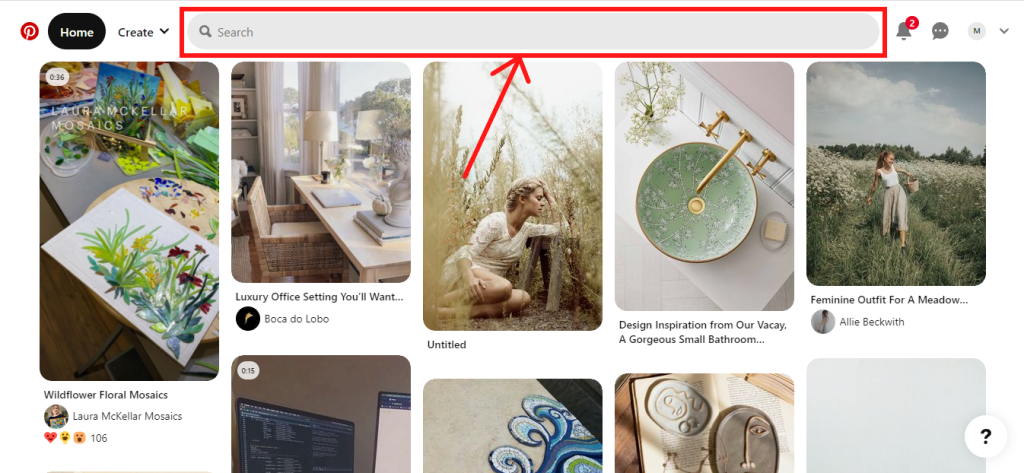
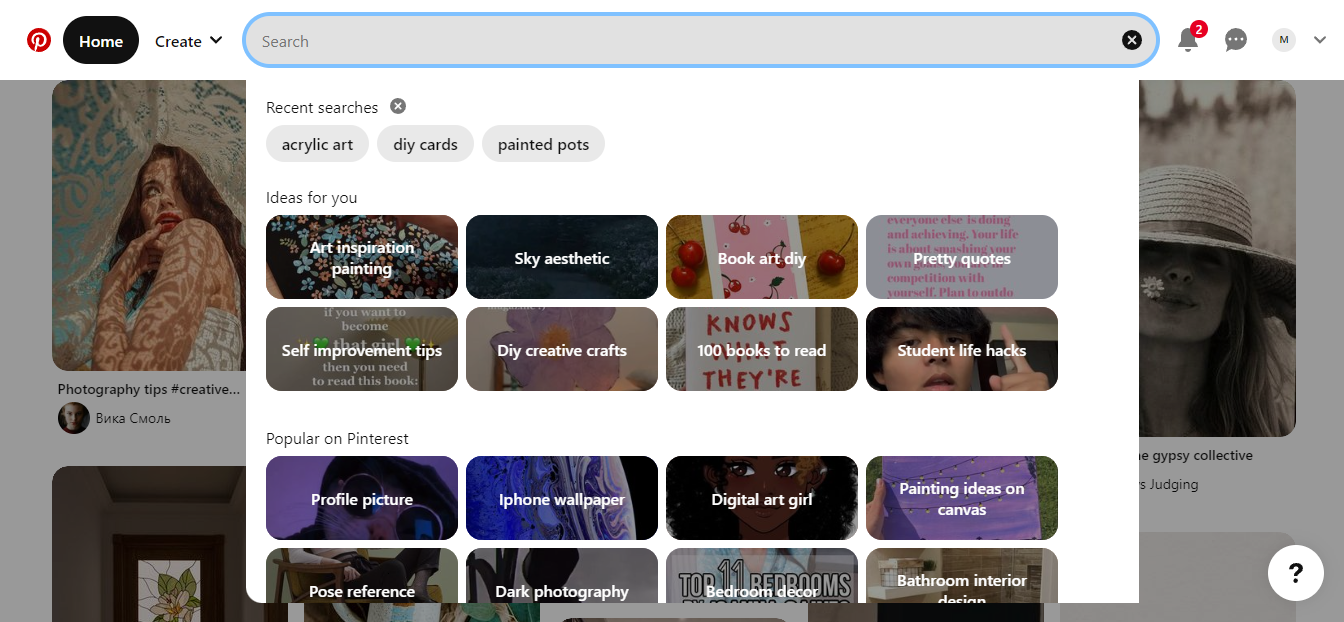
Select the Search bar. - Clear the search history using the cross next to Recent searches.
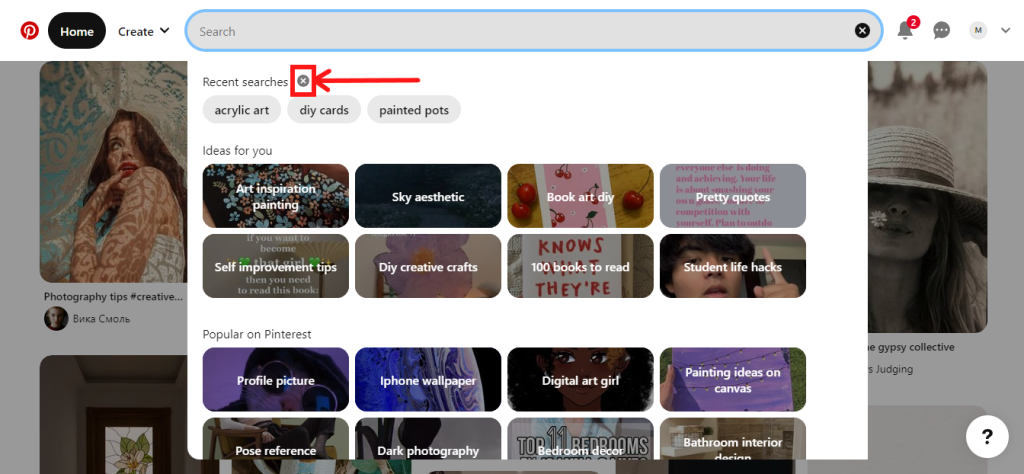
Remove all recent searches.

I’m Susan, the founder of Learn Social Media. As a caregiver I regularly work with vulnerable groups, such as with the elderly in nursing homes, and children with disabilities in schools. During my work, I noticed these groups struggle to keep up with new technologies.
When it comes to social media, this often led to feelings of isolation and “being left out”. The thrill I experienced creating TikTok dance videos with children with disabilities, or helping elderly folks reconnect with old friends and loved ones on Facebook, is what inspired me to launch this project.
Read more about my project here: About Learn Social Media. Feel free to contact me at any time at [email protected], I spend my evenings responding to ALL messages!