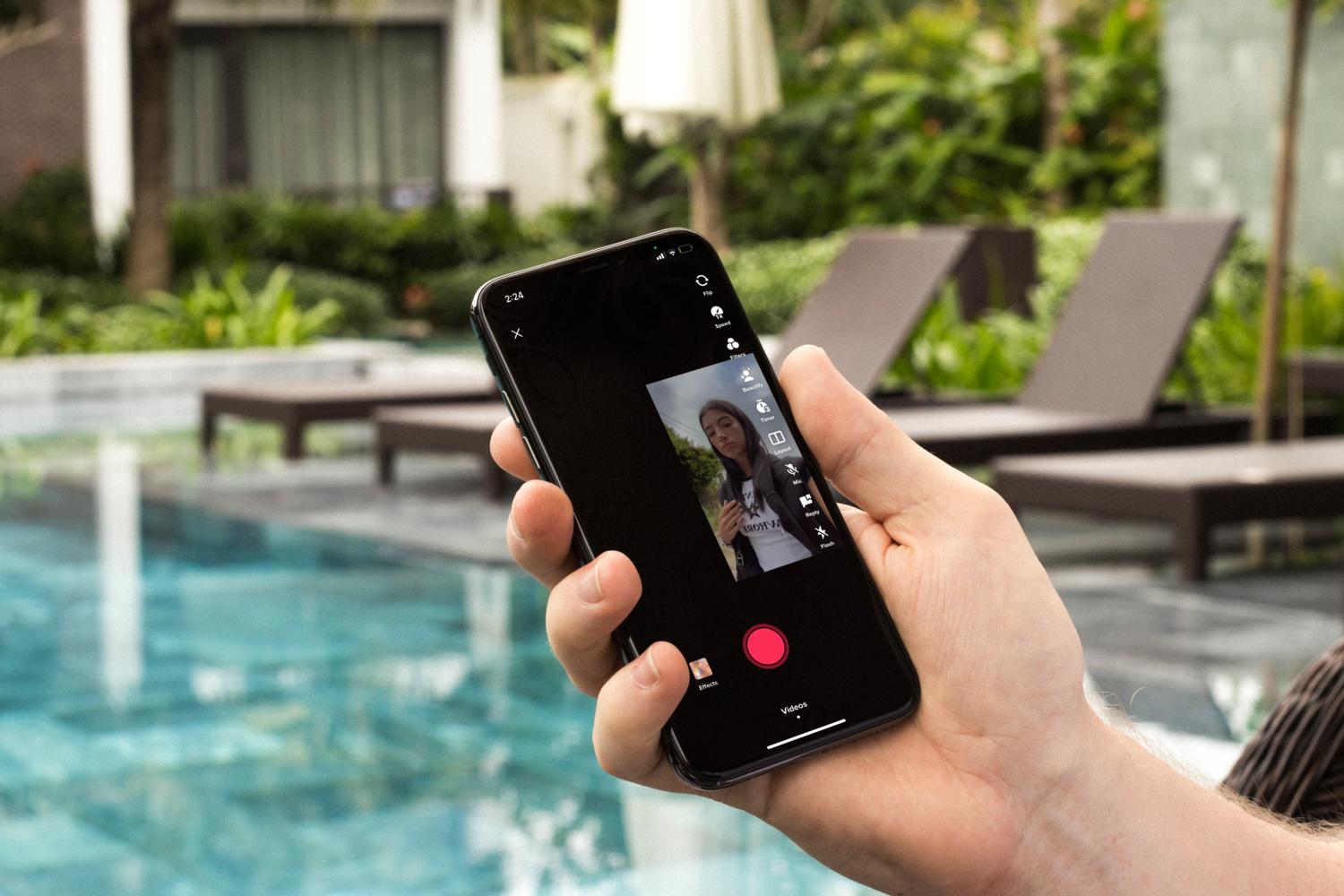
The “Duet” feature on TikTok allows users to create side-by-side videos with other creators. You can create reaction videos or collaborations with your favorite users. It allows users to interact with each other in very creative ways. This guide walks you through easy steps to create the perfect Duet on Tiktok!
Before making a Duet make sure
- The video you want to Duet with is not private.
- The video is not of someone who is under the age of 16. TikTok automatically sets its privacy settings to only visible to Friends.
How to Duet on TikTok
- Open the TikTok video you want to duet with. Tap the share button on the bottom right-hand side of the screen and select Duet.

Click the arrow on the bottom right-hand side - You will see an option that says Duet. Click on it.
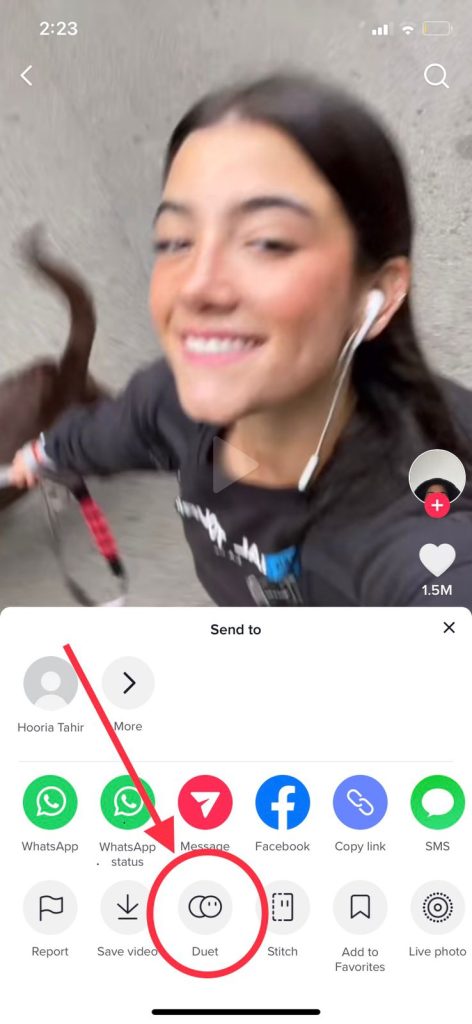
Tap on the Duet option - Here, you can see the Layout option on the right side of the screen.

Tap here to choose a Layout for the Duet - It will give you four different options: Left & right, Green Screen, React, and Top & Bottom.
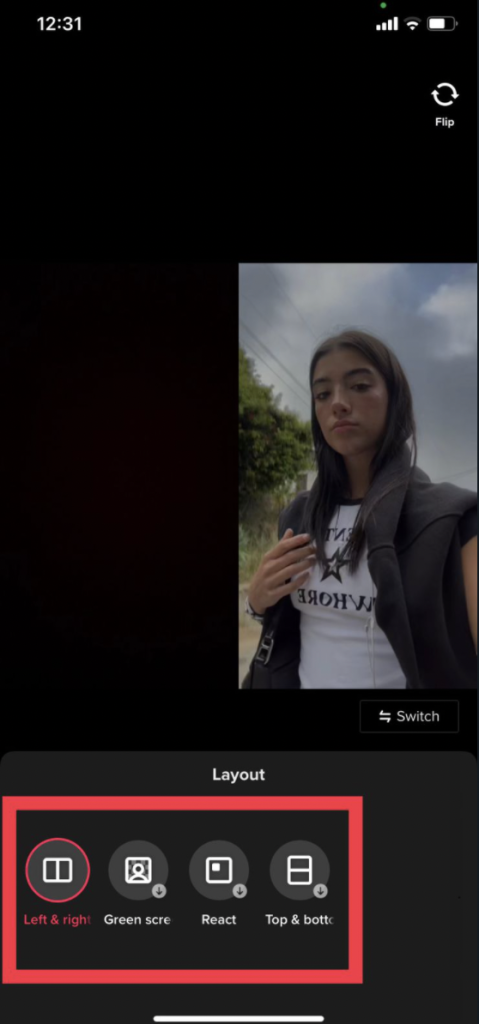
Choose the option you’d like to proceed with - After choosing the Layout you want for your Duet, hold the record button to start filming your Duet.
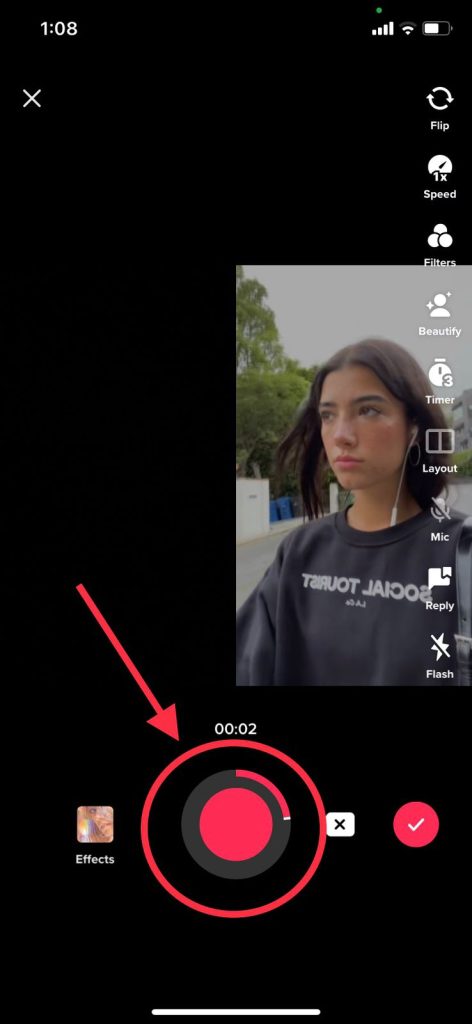
Press record and film Duet - If you’re happy with how the video turned out, add in your caption and select a cover image. Then, select Post. Congratulations, you just successfully dueted on TikTok!

Why should you duet on TikTok?
For new creators looking to expand their following on TikTok, Duet videos are the perfect step in that direction. Duets have typically had a high chance of going viral. Creators worldwide combine their skills, talent, and platforms to create epic Duets online.
Additionally, Duet allows more room for creativity with unique editing styles, effects, and filters. No video is the same as the other, making your content unique.
Allowing Others To Duet With Your Videos
Similar to how you can create Duets with other users’ videos, others might be able to do this with your videos as well. If you don’t like the idea of someone else making a Duet out of one of your videos, you can change your privacy in Settings. Follow the steps given below.
- Open the TikTok app on your device and click on your profile at the bottom right of the screen.
- Click on the three vertical-line menu icon in the top right of the screen to go into Account settings.
- Here, you can access privacy by clicking on settings. After selecting privacy, you will see an option of Duet. Click on it.
- You’ll see the option under Who Can Duet With Your Videos of who you’d allow to Duet with your videos. Change it according to your preference.

I’m Susan, the founder of Learn Social Media. As a caregiver I regularly work with vulnerable groups, such as with the elderly in nursing homes, and children with disabilities in schools. During my work, I noticed these groups struggle to keep up with new technologies.
When it comes to social media, this often led to feelings of isolation and “being left out”. The thrill I experienced creating TikTok dance videos with children with disabilities, or helping elderly folks reconnect with old friends and loved ones on Facebook, is what inspired me to launch this project.
Read more about my project here: About Learn Social Media. Feel free to contact me at any time at [email protected], I spend my evenings responding to ALL messages!