
Comments are important for engaging with your followers on TikTok. But, getting spam, abusive or irrelevant comments on your videos can be irritating. TikTok has given users multiple ways to filter comments. You can also follow this guide to limit comments on TikTok.
Note: Filtering comments in TikTok is reversible. If you change your mind, you can easily reverse any of the changes made in this guide.
Step 1: Filtering spam and offensive comments
- Launch TikTok and go to your Profile.
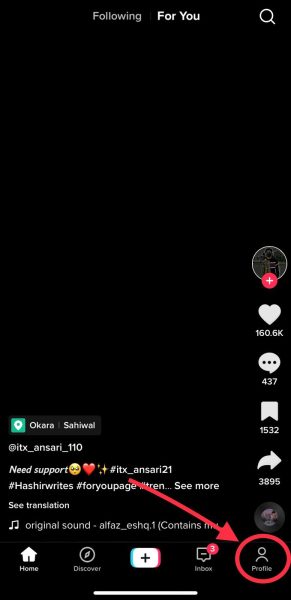
Go to your Profile. - Now, tap the hree-line menu on the top right of your screen.
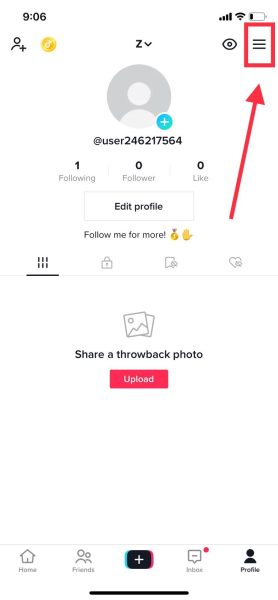
Select the three-line menu. - Go to Settings and privacy.
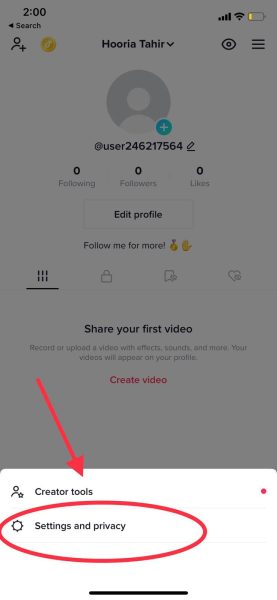
Tap on Settings and privacy. - Go to Privacy, then tap on Comments.
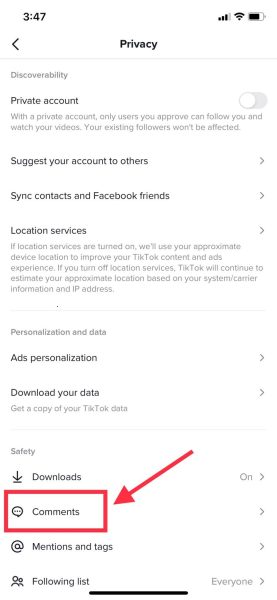
Go to Comments - You will see Comment filters. Toggle Filter spam and offensive comments on.
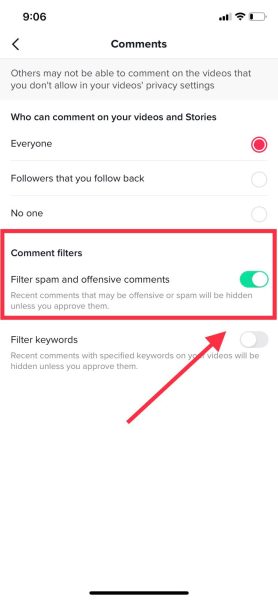
Toggle Filter spam and offensive comments on.
Step 2: Filter comments using specific keywords
- While still in the Comments section from the previous section, toggle Filter keywords on.
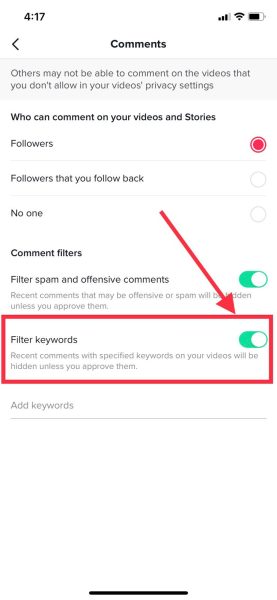
Toggle Filter keywords on. - In the text field, add any keywords you don’t want to be shown in comments under your videos. Any comments containing the exact keywords will be hidden under your videos unless you approve them.
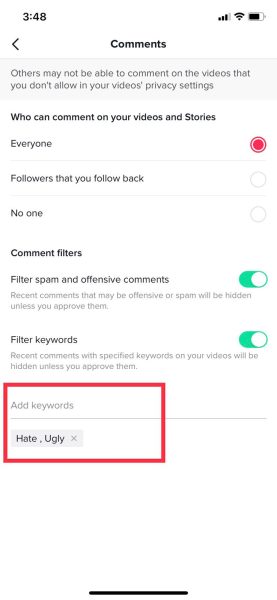
Add the keywords
Step 3 (optional): Disable all comments from your videos
Before posting a video
- Go back to the Comments section from Step 1.
Go to Comments. - Under Who can comment on your videos and Stories, tap No One. Remember that by turning this setting on, users will no longer be able to leave comments on your videos.
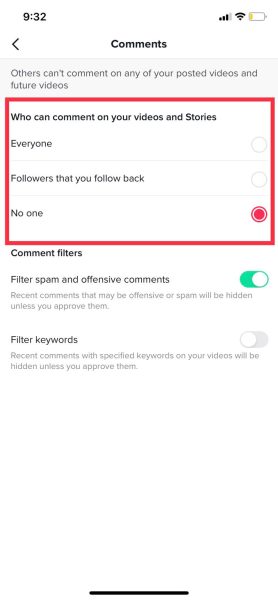
Toggle the setting to No one.
After posting a video
- From your Profile, view the Video you want to turn comments off for.
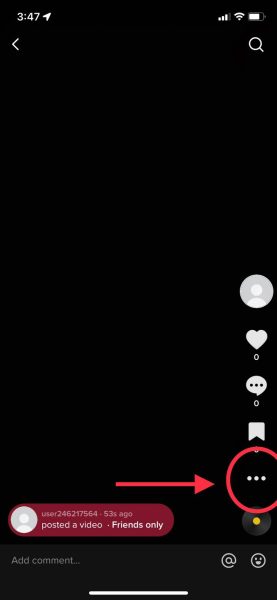
Go to the video you want to turn off comments for. - Tap the three-dot menu on the right.
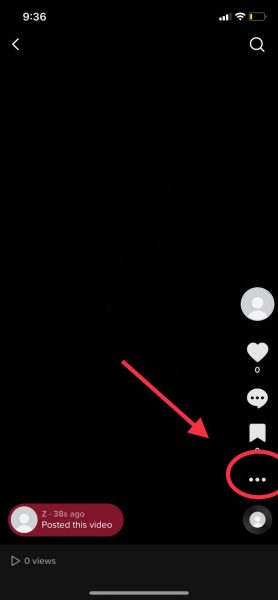
Tap the three-dot menu. - Now, tap on Privacy settings.
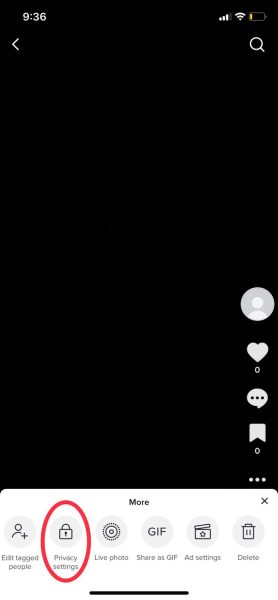
Tap Privacy settings. - Toggle Allow comments to off.
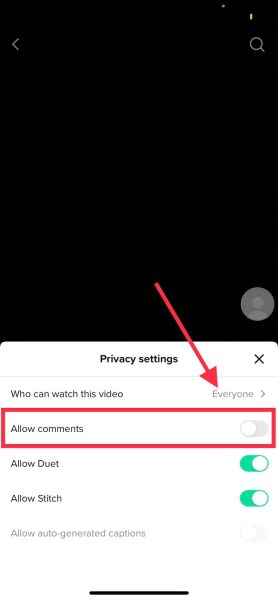
Turn comments off on your video. Comments will be turned off on the video.
I’m Susan, the founder of Learn Social Media. As a caregiver I regularly work with vulnerable groups, such as with the elderly in nursing homes, and children with disabilities in schools. During my work, I noticed these groups struggle to keep up with new technologies.
When it comes to social media, this often led to feelings of isolation and “being left out”. The thrill I experienced creating TikTok dance videos with children with disabilities, or helping elderly folks reconnect with old friends and loved ones on Facebook, is what inspired me to launch this project.
Read more about my project here: About Learn Social Media. Feel free to contact me at any time at [email protected], I spend my evenings responding to ALL messages!