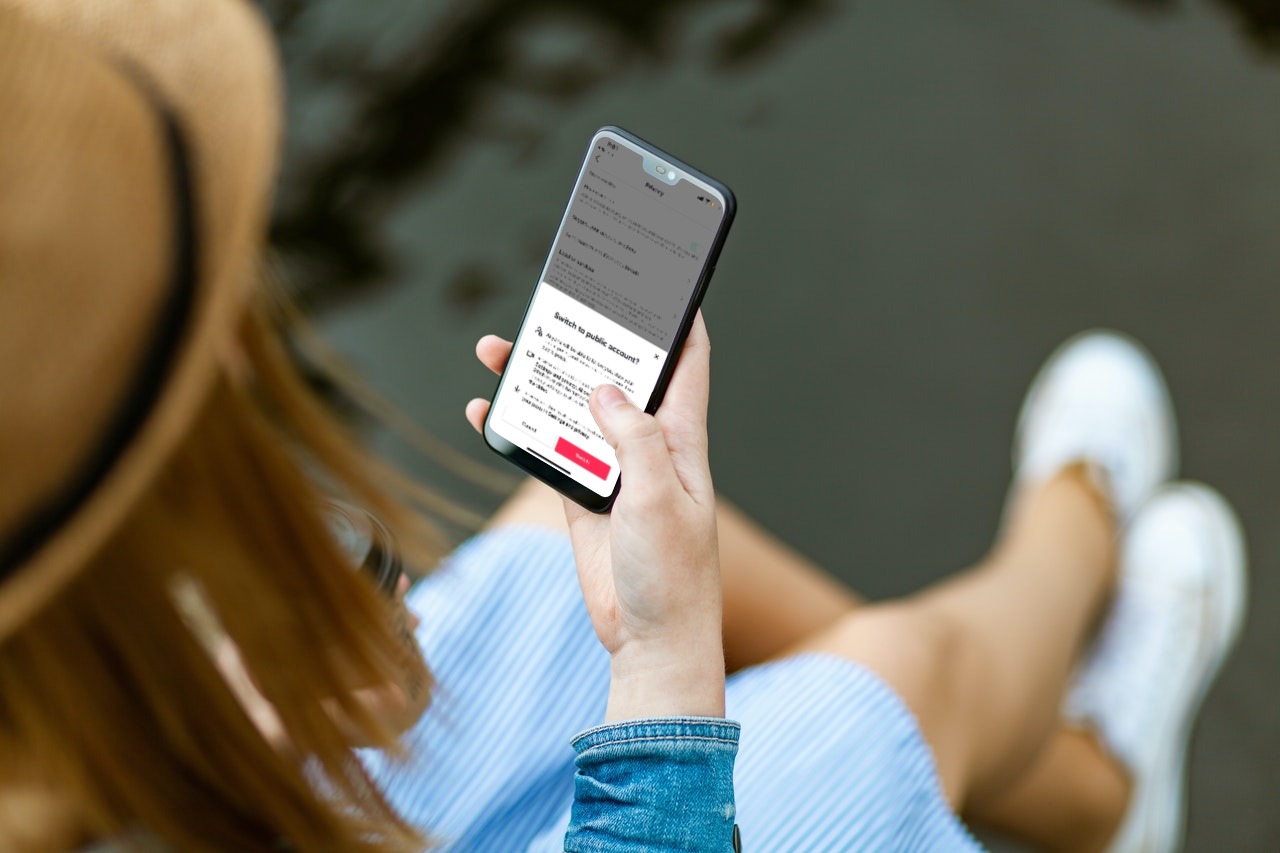
Going public on your TikTok account will help put your videos in front of other TikTokers and allow you to start building a following.
With a public TikTok account, anyone can watch your videos, follow you, and view who follows you or who you follow.
To switch your TikTok account to public, follow these steps:
- Launch TikTok and tap on Profile.
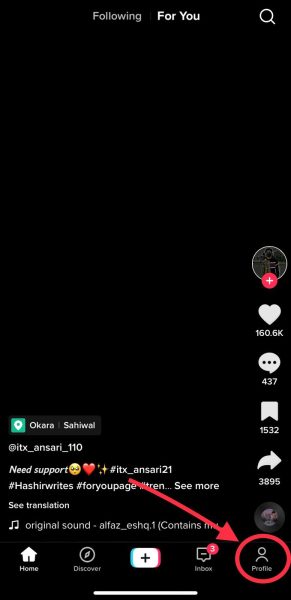
Tap on Profile. - Tap the three horizontal-line menu on the top right of your screen.
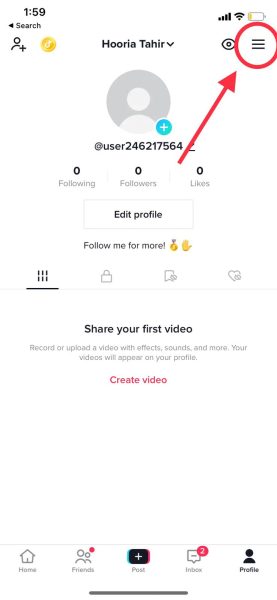
Tap the horizontal line menu. - Tap on Settings and privacy to access further controls.
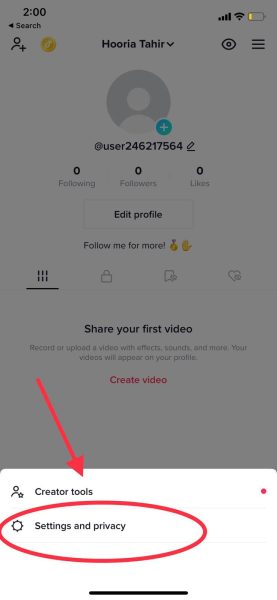
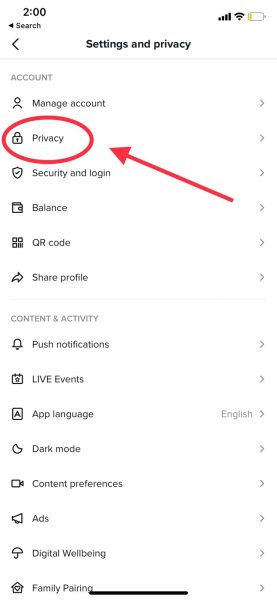
Go to Settings and privacy. - You will see Privacy as your second option. Select it.
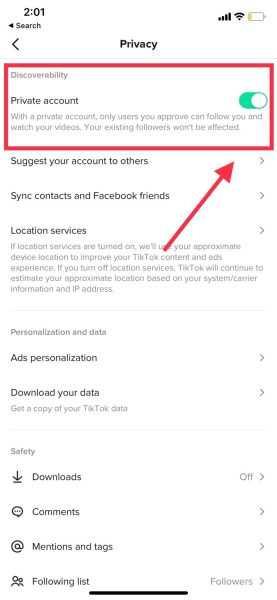
Select Privacy. - At the top of the page, you will see the Discoverability section. The toggle next to Private account will be on if your account is currently private. You want to turn the toggle off to make your TikTok account public.
Turn the Private account toggle off. - A prompt will ask you to confirm that you want to switch your account to public. You can also read what to expect when going public. Once you have understood the changes, tap on the Switch button.
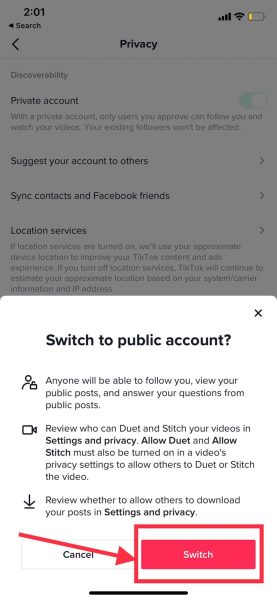
Read the prompt, and when ready, tap on Switch. Your TikTok account is now public!
Further changing your privacy settings
There are ways to limit privacy on your videos even after going public. This includes limiting followers by choosing who can comment on your videos, mention or tag you, see your following lists, duet with and stitch your videos, send you direct messages, download your videos, and view your likes.
To do this, go to Profile > Three horizontal-line menu > Settings and Privacy > Privacy > Private Account.
On this page, scroll down and view the additional options available to change your privacy settings.
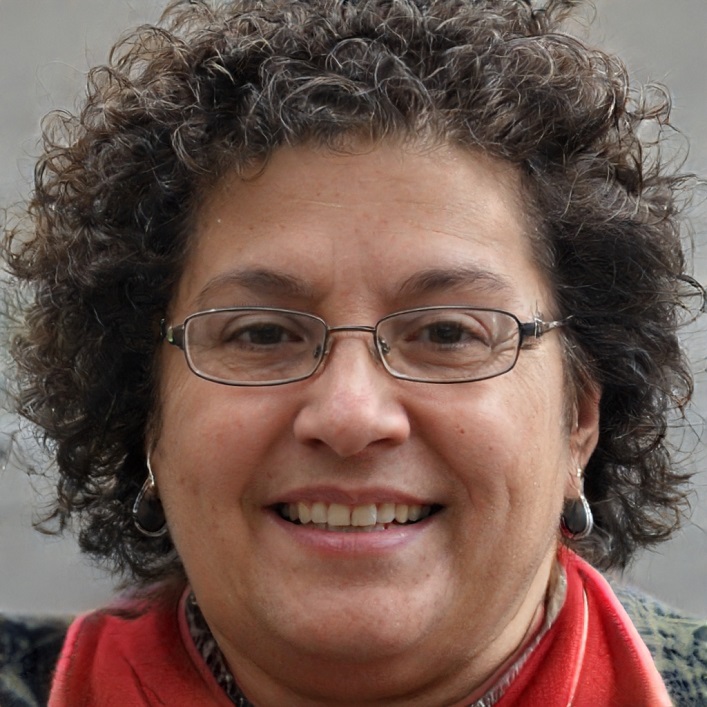
I’m Susan, the founder of Learn Social Media. As a caregiver I regularly work with vulnerable groups, such as with the elderly in nursing homes, and children with disabilities in schools. During my work, I noticed these groups struggle to keep up with new technologies.
When it comes to social media, this often led to feelings of isolation and “being left out”. The thrill I experienced creating TikTok dance videos with children with disabilities, or helping elderly folks reconnect with old friends and loved ones on Facebook, is what inspired me to launch this project.
Read more about my project here: About Learn Social Media. Feel free to contact me at any time at [email protected], I spend my evenings responding to ALL messages!